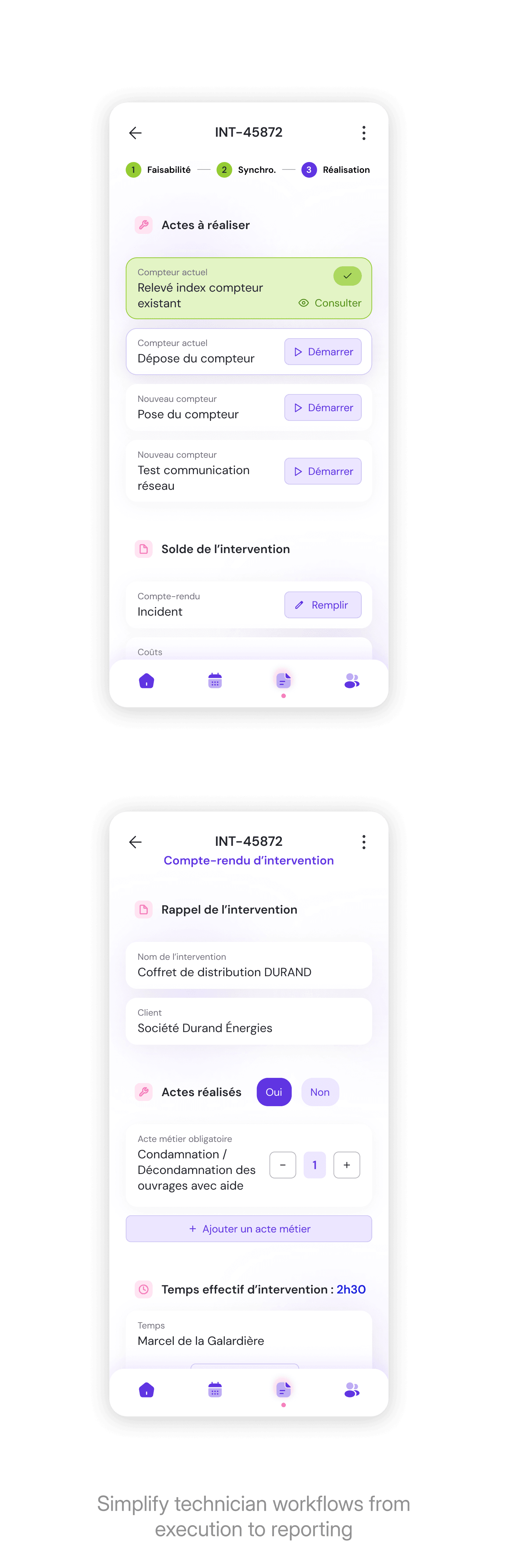
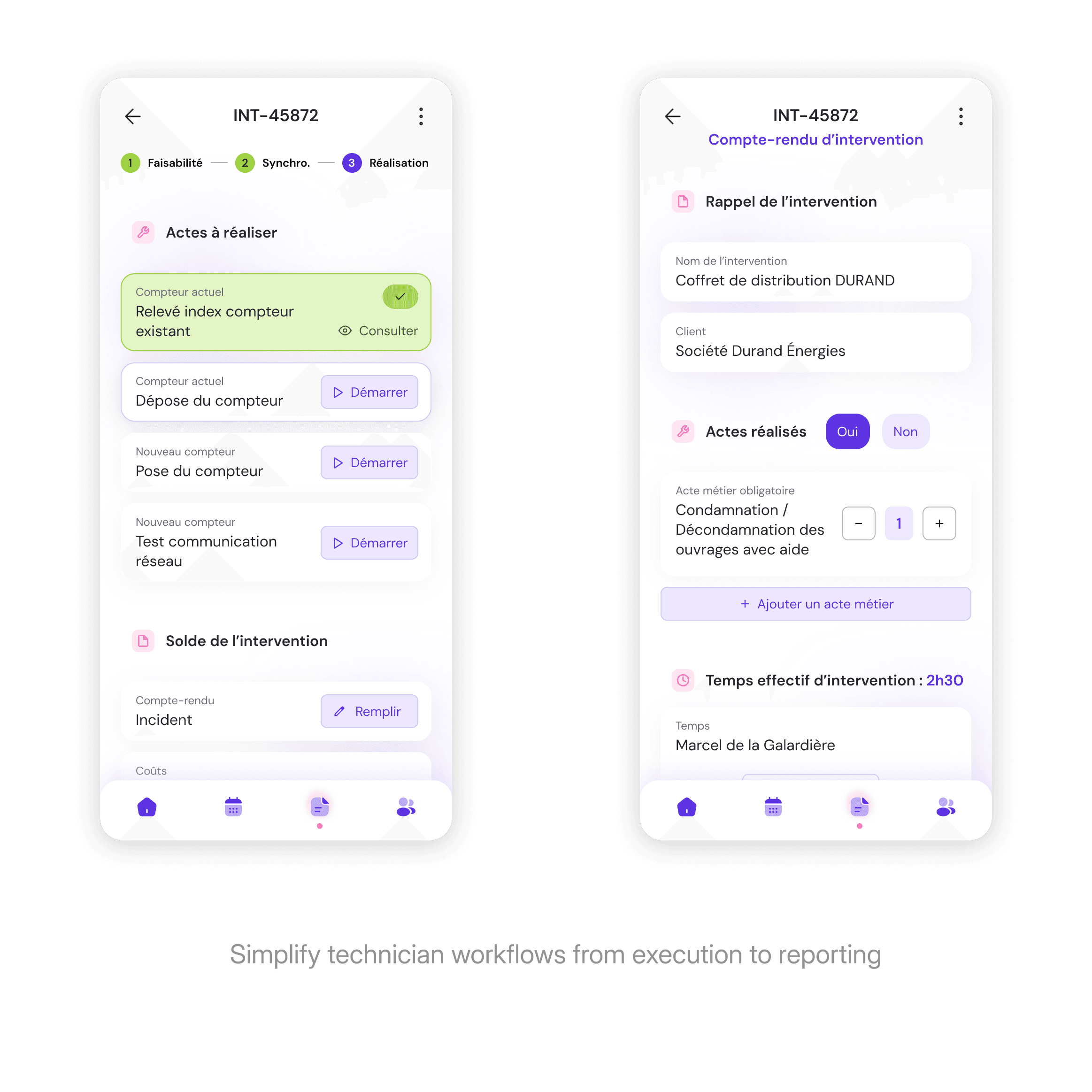
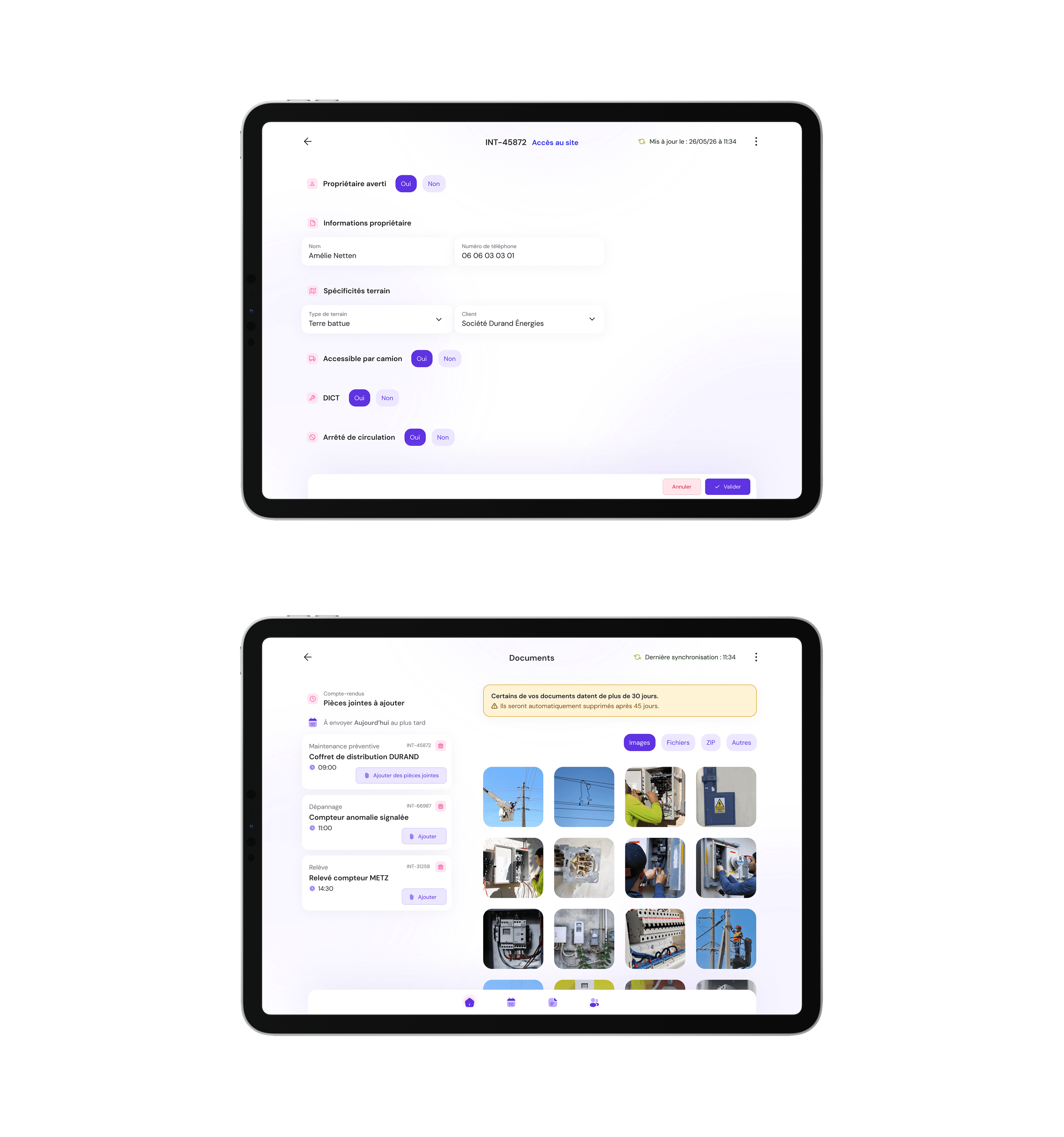
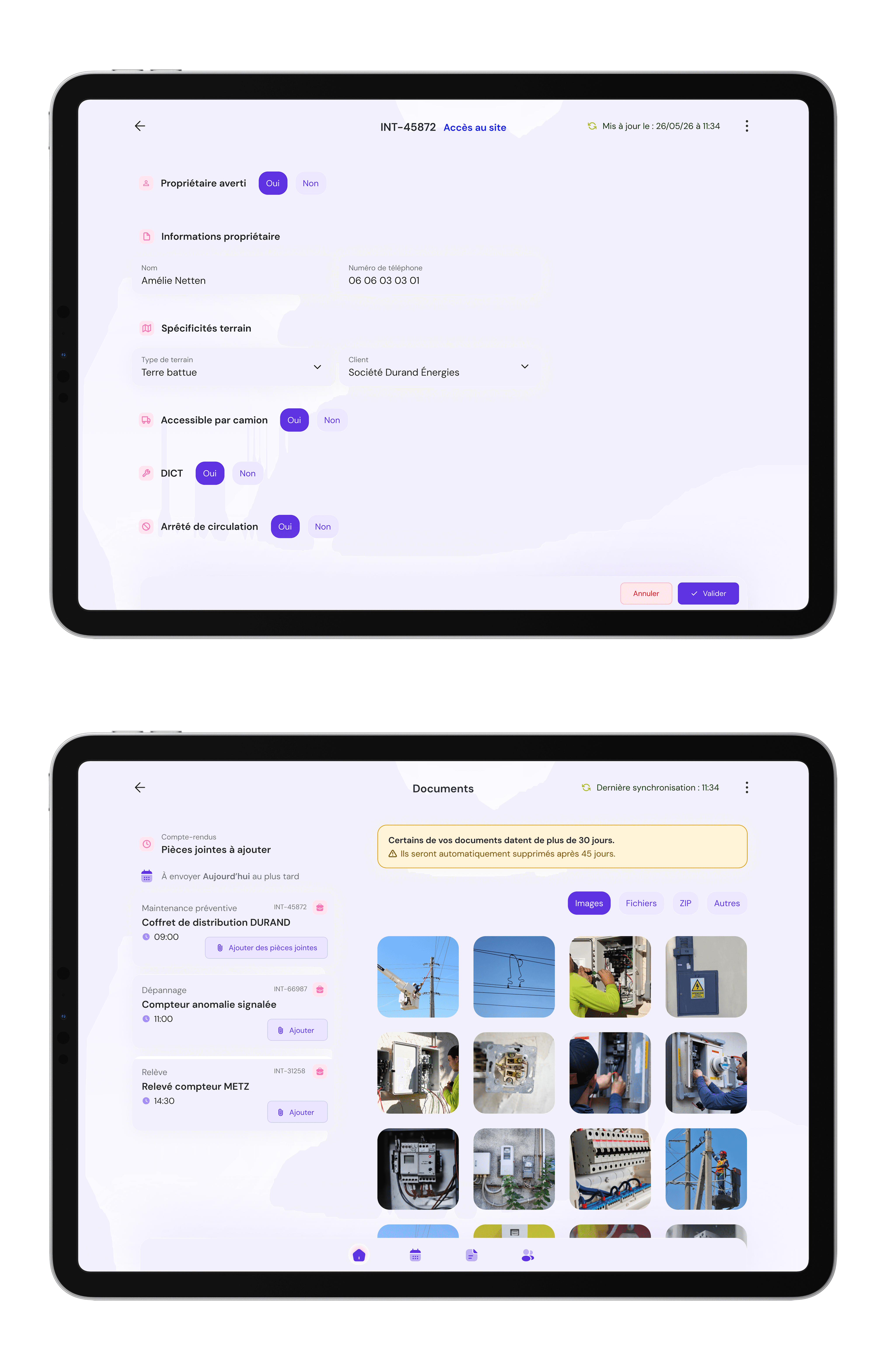
Relay

Improving a mobile operations platform used by field technicians.

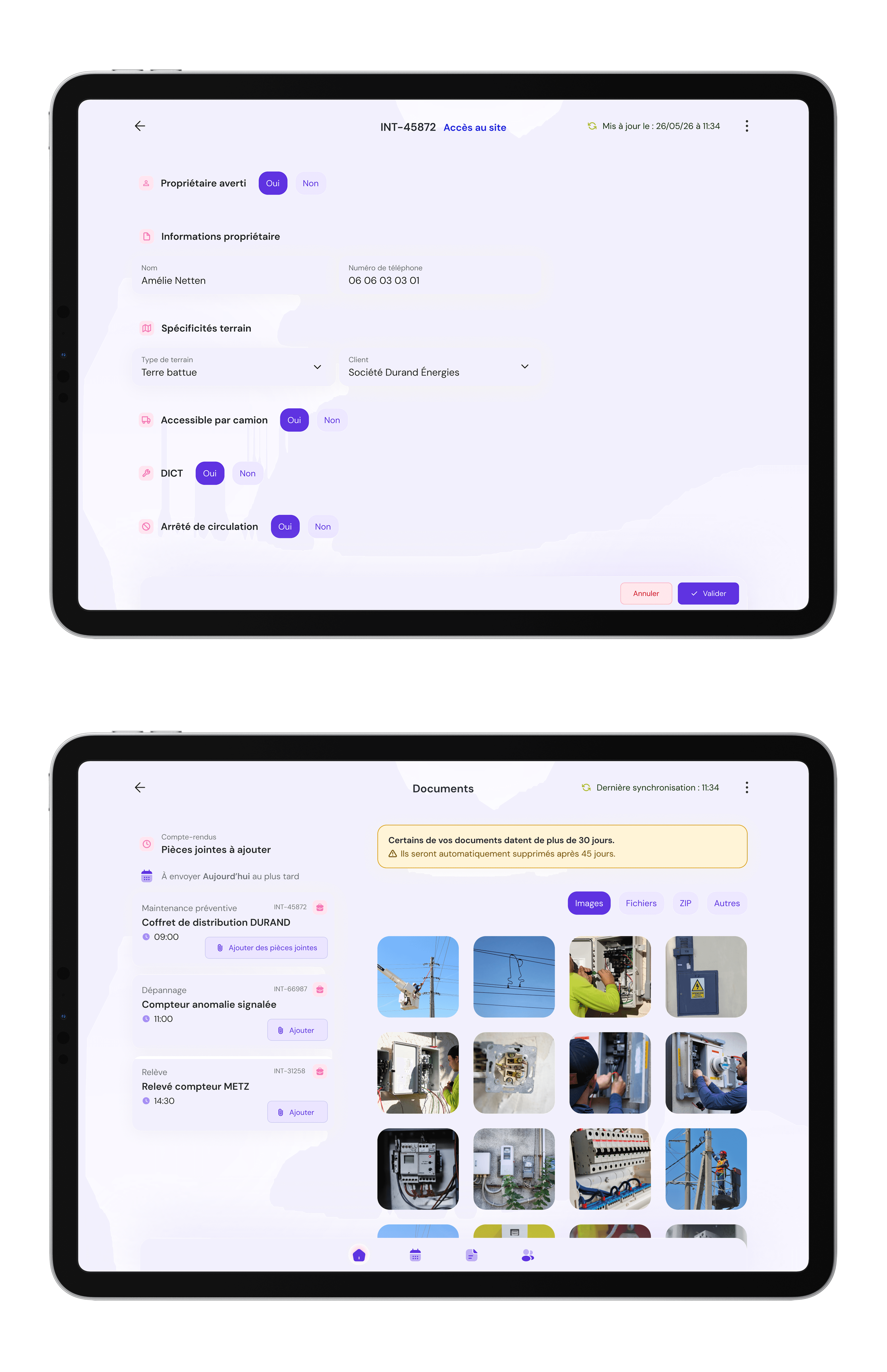
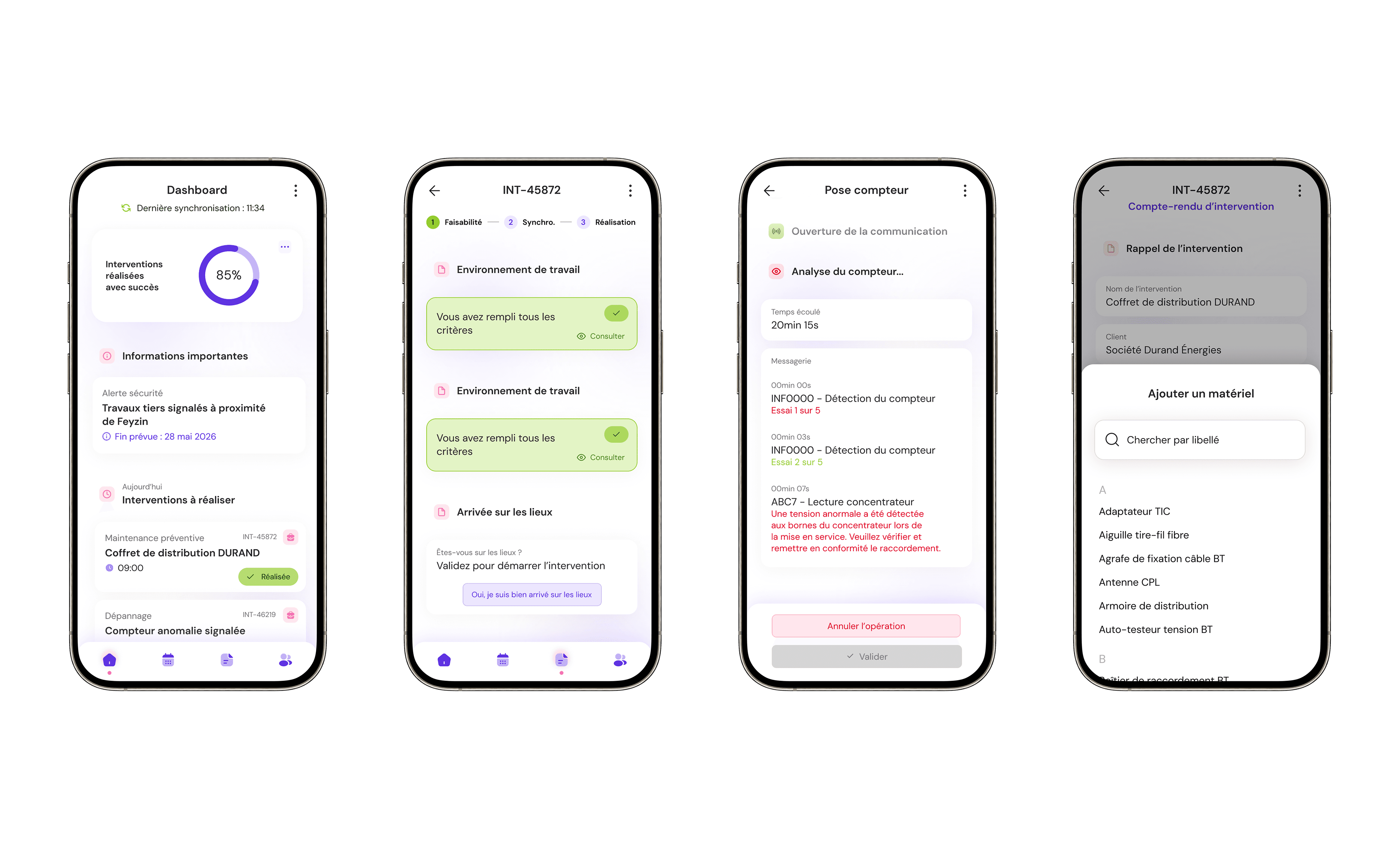
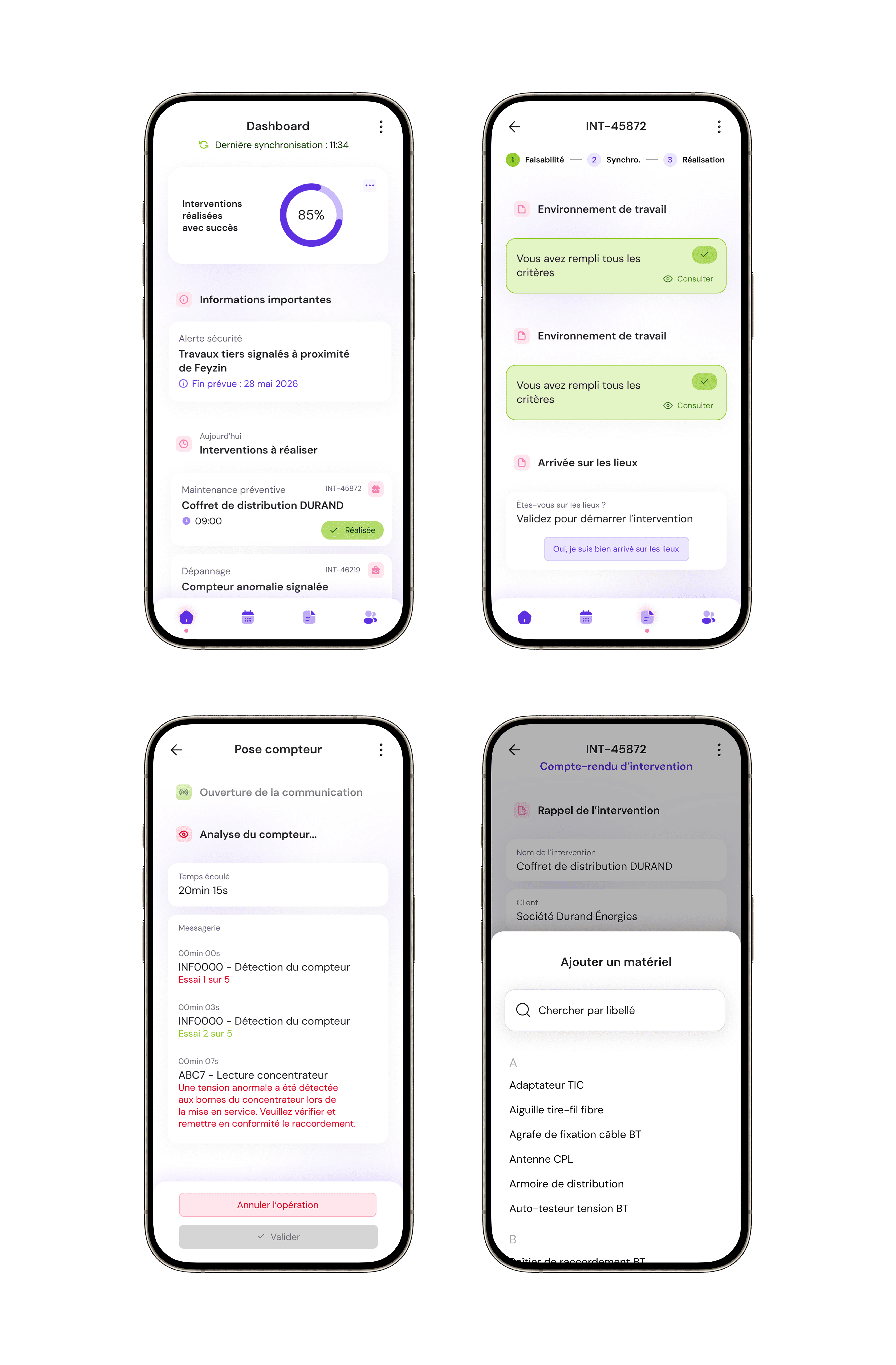
*The name of the application and the screens design has been changed due to NDA

*The name of the application and the screens design has been changed due to NDA

*The name of the application and the screens design has been changed due to NDA

Product Design

B2B

UX

UI

Timeline

Feb. 2020
— Jan. 2024

Scope

France

Platform

iOS & Android App

Context

Context

As part of a large-scale digital transformation, a major infrastructure company introduced a mobile platform to help over 3,000 field technicians manage their daily interventions.

After the successful adoption of the initial release, the product needed to evolve to better reflect real field constraints, simplify complex workflows, and improve operational efficiency.

Digital transformation

Mobile only

User-centered

Field

Growth focus

Retention

Technical workflows

Critical tool

Legacy systems

Local food artisans

Mobile exp.

My role

My role

Over 4 years, I contributed to the evolution of the mobile tool, designing features, improving workflows, and enhancing usability. My role progressively evolved toward identifying UX issues and driving product improvements aligned with real field needs.

Experience gaps

Experience gaps

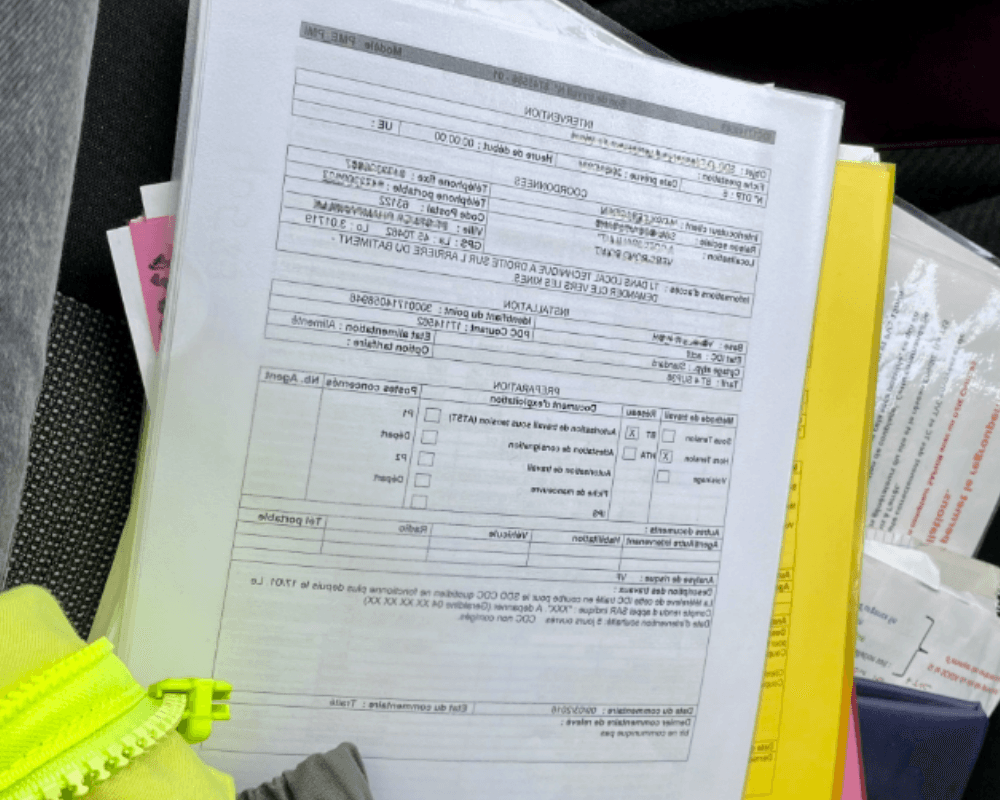
Observing technicians in real working conditions helped identify key experience gaps affecting their daily operations.

Limited planning visibility

Technicians lacked a clear view of upcoming interventions, making it difficult to anticipate workload and organize their week efficiently.

Rigid operational workflows

Some processes were too constrained and did not reflect the reality of field work, creating unnecessary friction in daily tasks.

Information complexity

Technical data was not always structured for fast understanding, increasing cognitive load during interventions.

Rigid operational workflows

Some processes were too constrained and did not reflect the reality of field work, creating unnecessary friction in daily tasks.

Information complexity

Technical data was not always structured for fast understanding, increasing cognitive load during interventions.

Rigid operational workflows

Some processes were too constrained and did not reflect the reality of field work, creating unnecessary friction in daily tasks.

Information complexity

Technical data was not always structured for fast understanding, increasing cognitive load during interventions.

Our users

Our users

Our users

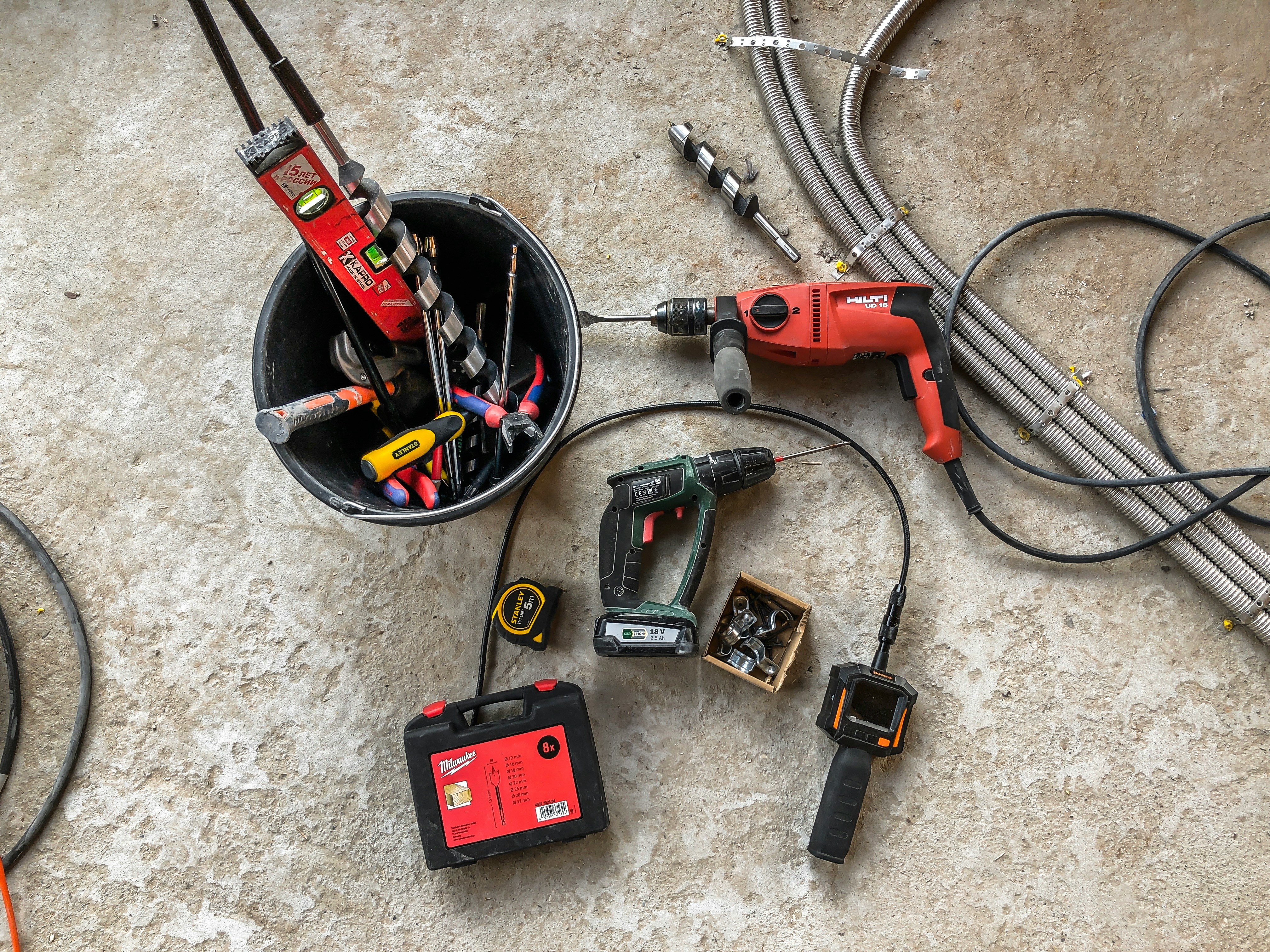
Before designing improvements, we observed technicians in real working conditions to understand their daily challenges.

Before designing improvements, we observed technicians in real working conditions to understand their daily challenges.

How might we turn complex field workflows
into clear and usable mobile experiences?

How might we turn complex field workflows into clear and usable mobile experiences?

How might we turn complex field workflows
into clear and usable mobile experiences?

User research

User research

To better understand how the mobile tool supported technicians in their daily work, we conducted field observations and user interviews. This research helped identify key friction points related to workflow complexity, information clarity, and operational constraints.

5 field observations

5 field observations

Field observations

Field observations

Real-world technician workflows analysis

10+ technician interviews

10+ technician interviews

User interviews

User interviews

Identification of daily friction points

1000+ users impacted

1000+ users impacted

Research synthesis

Research synthesis

Prioritization of UX improvements

UX analysis

UX analysis

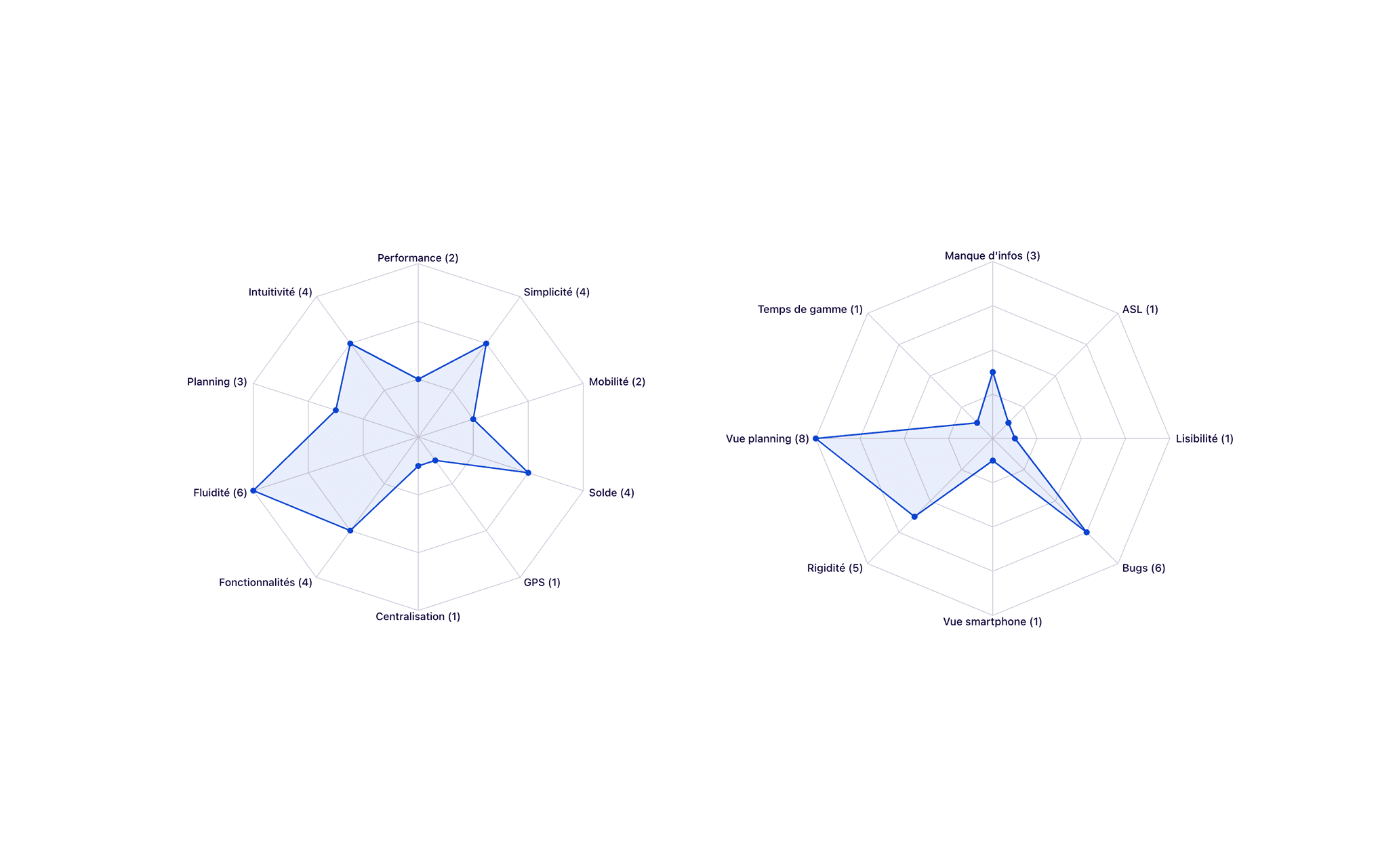
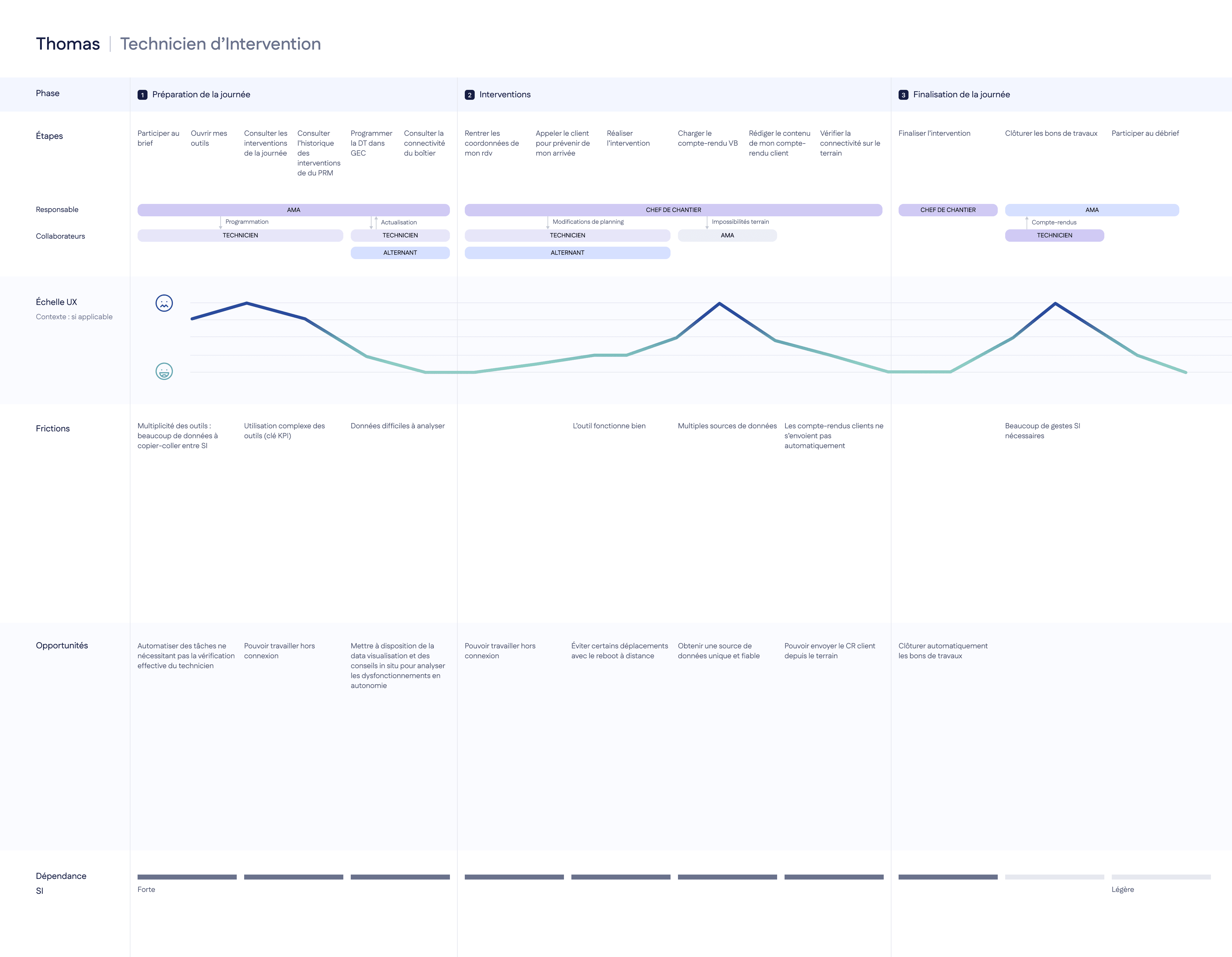
Research insights were translated into concrete UX improvement opportunities by analyzing workflows, information structure, and real usage constraints.
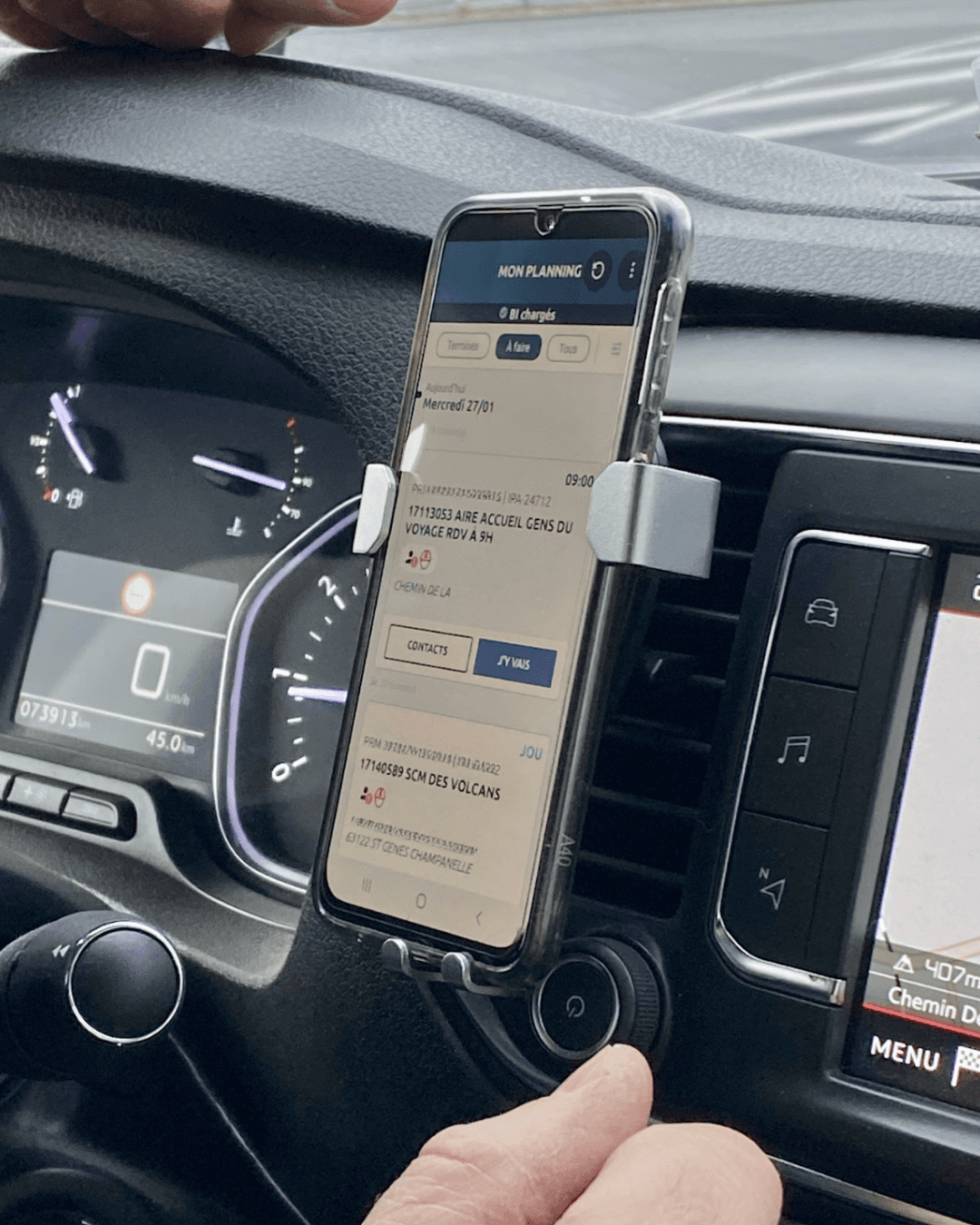
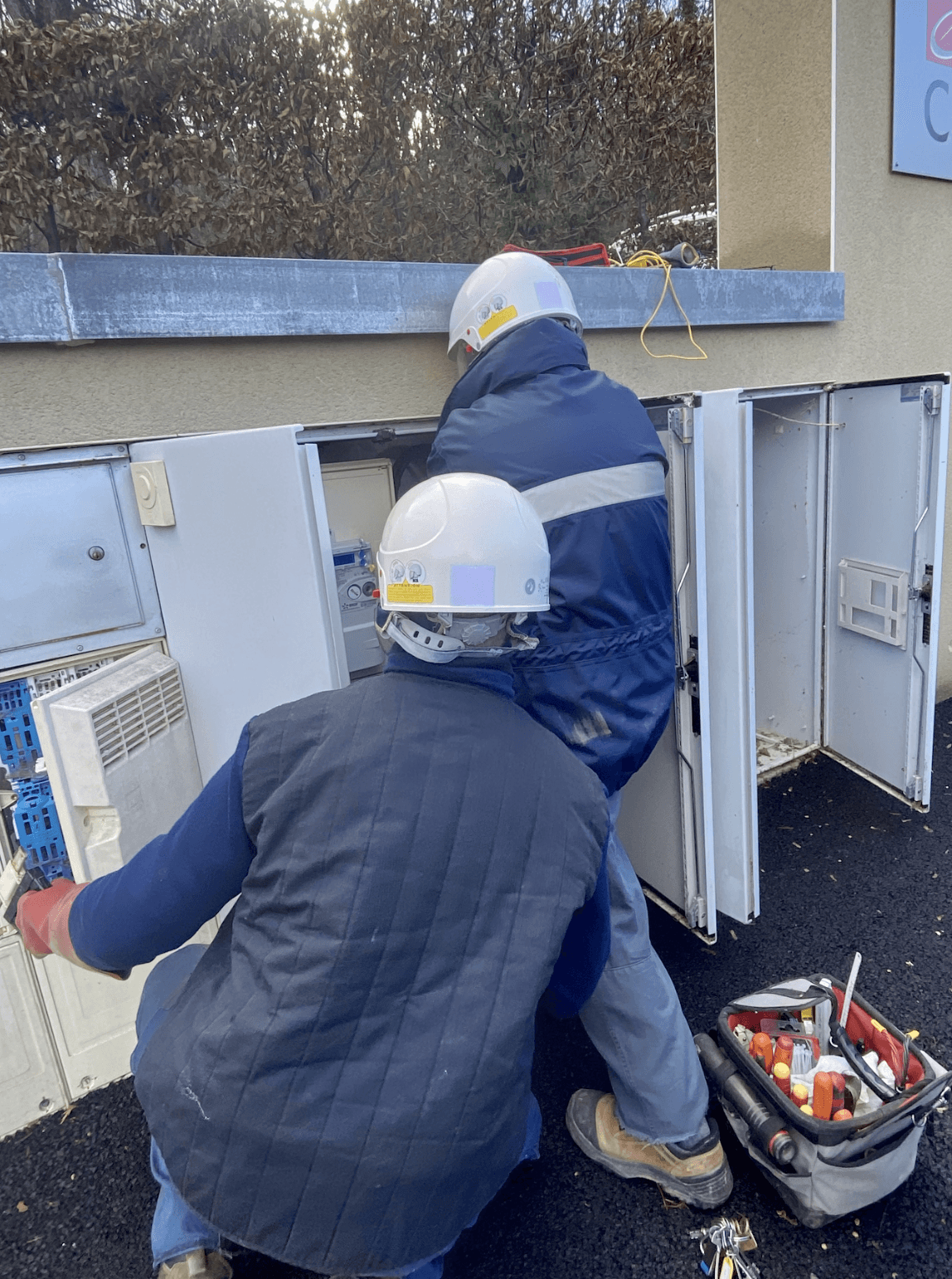
Workflow friction points

Identifying steps that slowed down daily operations.

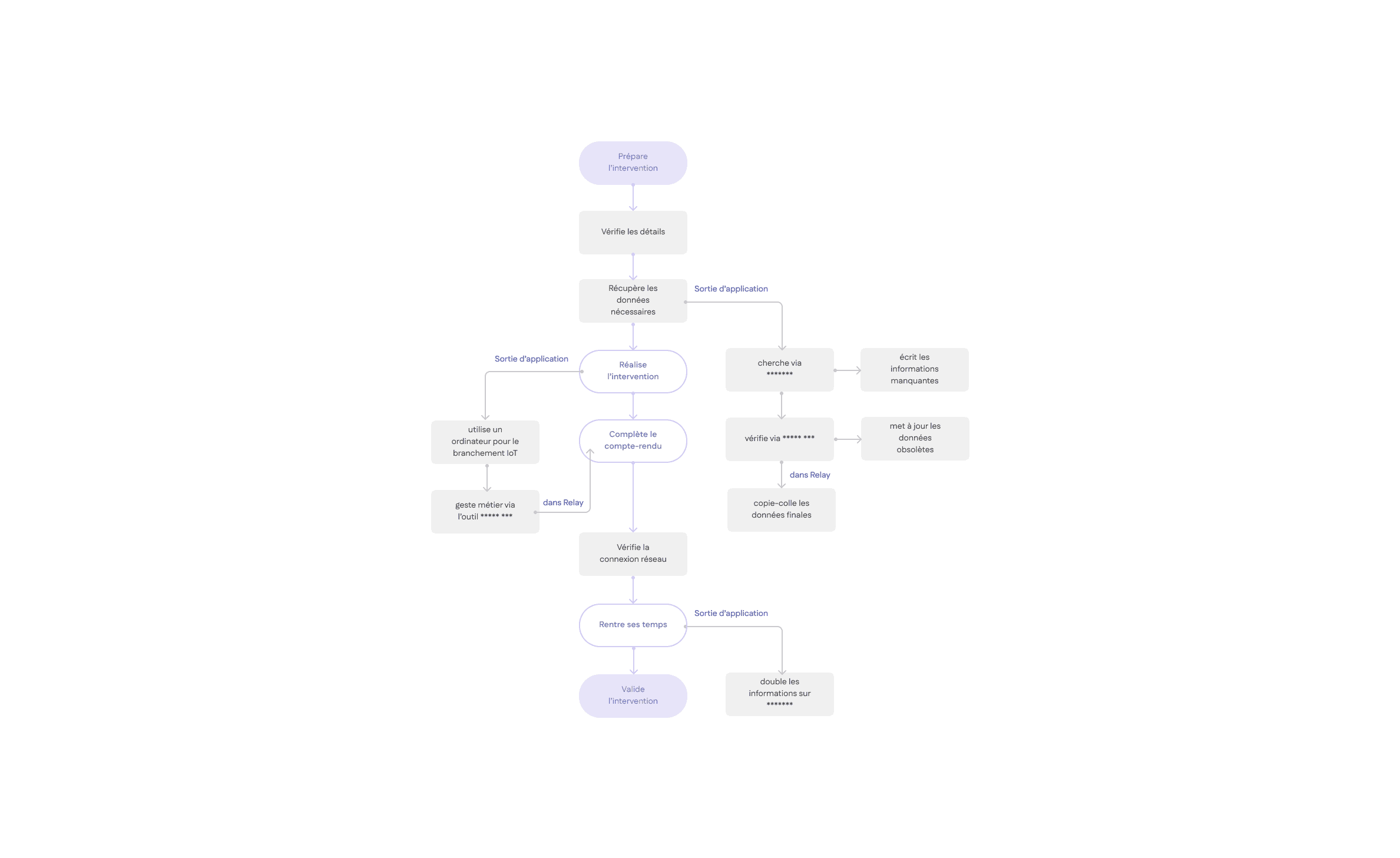
Mapping the technician journey helped identify workflow inefficiencies, tool fragmentation, and operational friction points across the day.
Information clarity issues

Improving how technical information was structured and accessed.

Analysis revealed that technical information was not always structured to support quick decision-making during interventions.

Key UX findings
Key UX findings

Information scattered across tools

Duplicate data entry

Unclear task sequencing

Unclear task sequencing

Growth focus

Retention

Local food artisans

Mobile exp.

Field usage constraints

Adapting the experience to real working conditions.
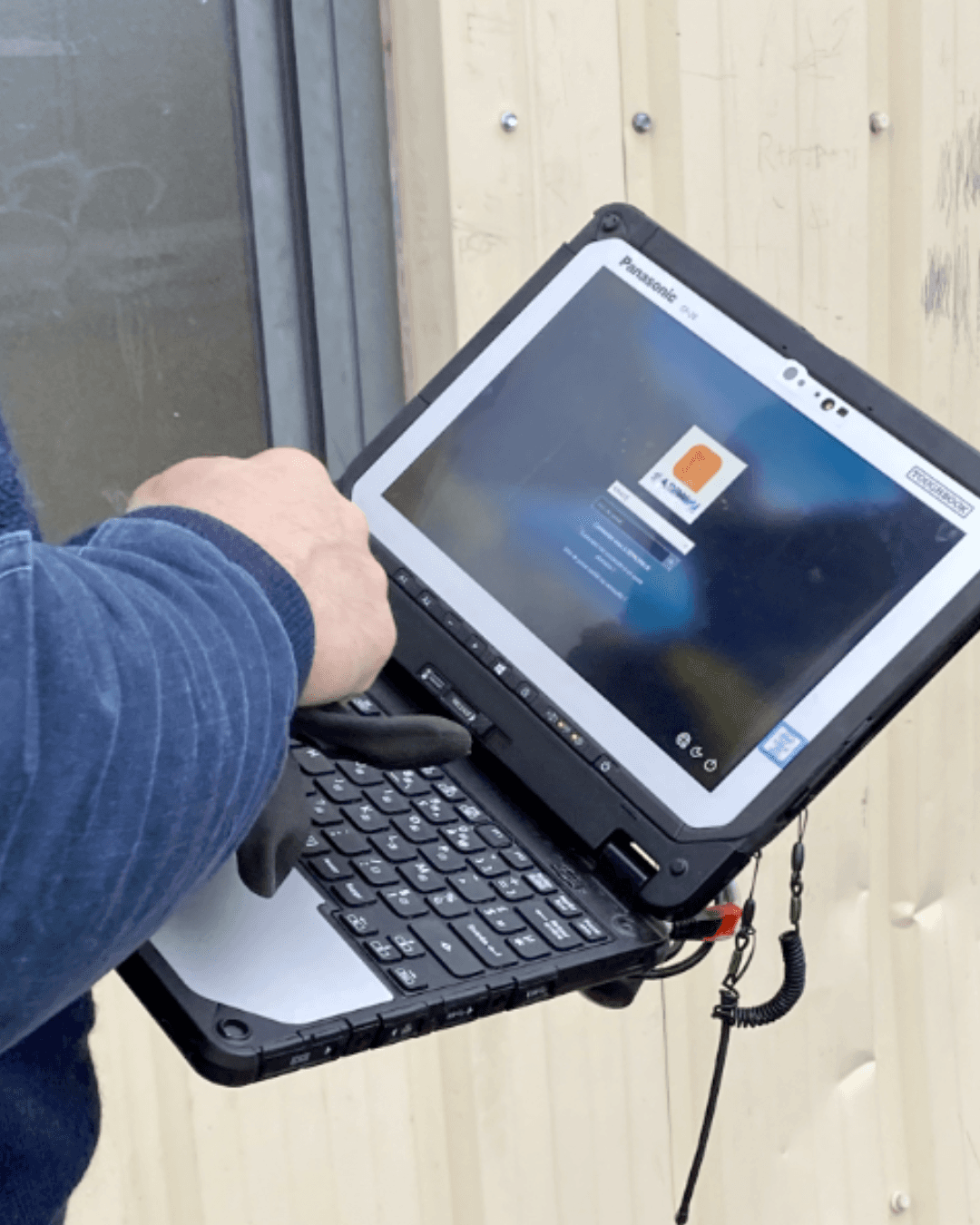
Core user expectations
Mobility constraints

The product is used in dynamic environments, not office.

Connectivity limitations

Offline capability and fast access to information are critical.

Limited attention time

Technicians must complete tasks quickly between physical operations.

Tool accessibility

Technicians use the product while moving between sites and handling equipment.

5 field observations

Field observations

Real-world technician workflows analysis

10+ technician interviews

User interviews

Identification of daily friction points

1000+ users impacted

Research synthesis

Prioritization of UX improvements

Defining the problem

Defining the problem

How might we simplify complex field operations
to help technicians work more efficiently in real-work conditions?

Goals

Goals

Business

Improve operational efficiency

Encourage consistent use in the field

Improve data reliability

Reduce operational friction

Users

Reduce unnecessary steps

Improve decision making in the field

Make technical tasks easier to complete

Support mobility and connectivity constraints
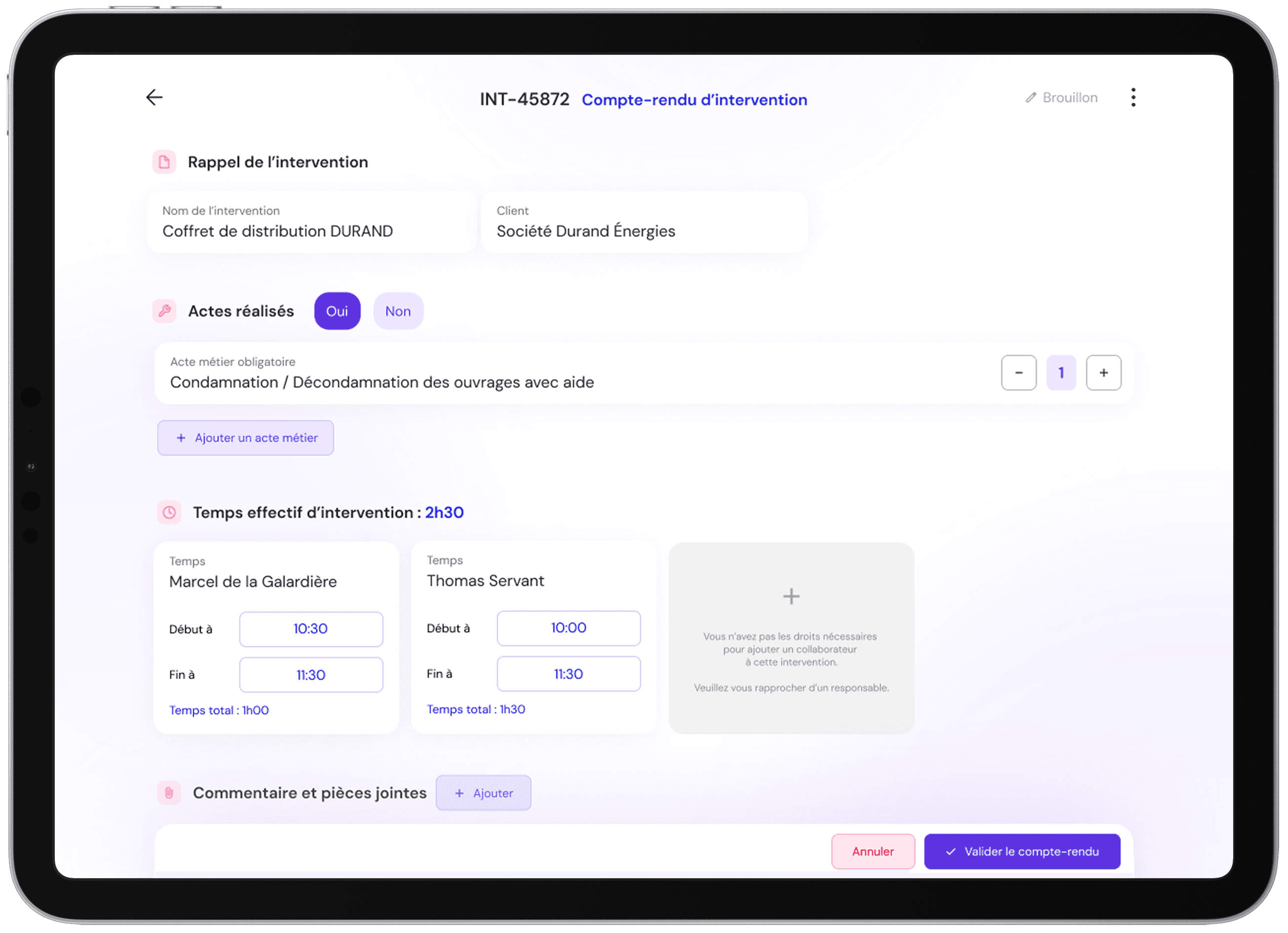
Key product decisions

Simplified core workflows

Clarified information hierarchy

Improved status visibility

Standardized UX patterns

Simplified core workflows

Clarified information hierarchy

Improved status visibility

Standardized UX patterns

Impact

Impact

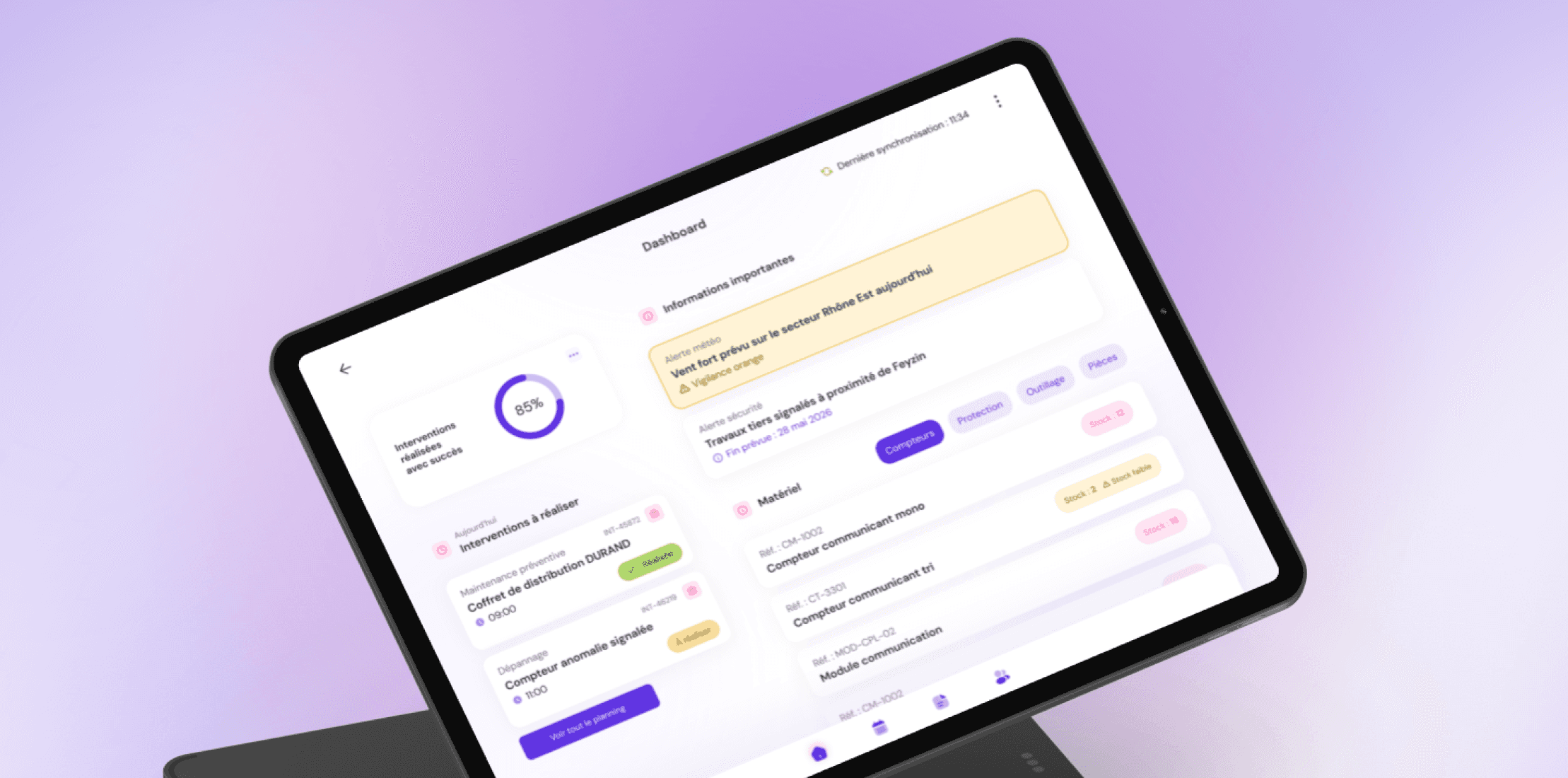
The redesign focused on improving daily usability by simplifying workflows, improving information clarity, and better aligning the product with real field conditions.

Due to confidentiality constraints, impact is expressed through qualitative improvements rather than exact metrics.

The redesigned features rolled out in business-priority phases over the year. Web and mobile releases were coordinated in parallel, ensuring both platforms evolved together for a seamless cross-device experience.

The redesign focused on measurable retention and engagement improvements.

Reduced reporting friction

Reduced reporting friction

Reduced reporting friction
Reduced cognitive load

Reduced cognitive load

Reduced cognitive load
Faster task completion

Faster task completion

Faster task completion

Design approach

Design approach

Improvements were delivered through continuous product iterations, combining three complementary design axes:

I advocated for the informative approach, aligning UX transparency with long-term retention goals.

UX improvements

Simplifying workflows and improving usability based on research insights.

UI improvements

Improving consistency and readability across the mobile experience.

Design system

Contributing to the adoption of the official design system and ensuring product consistency.

Strengthening product consistency through
the design system
Strengthening product consistency through the design system

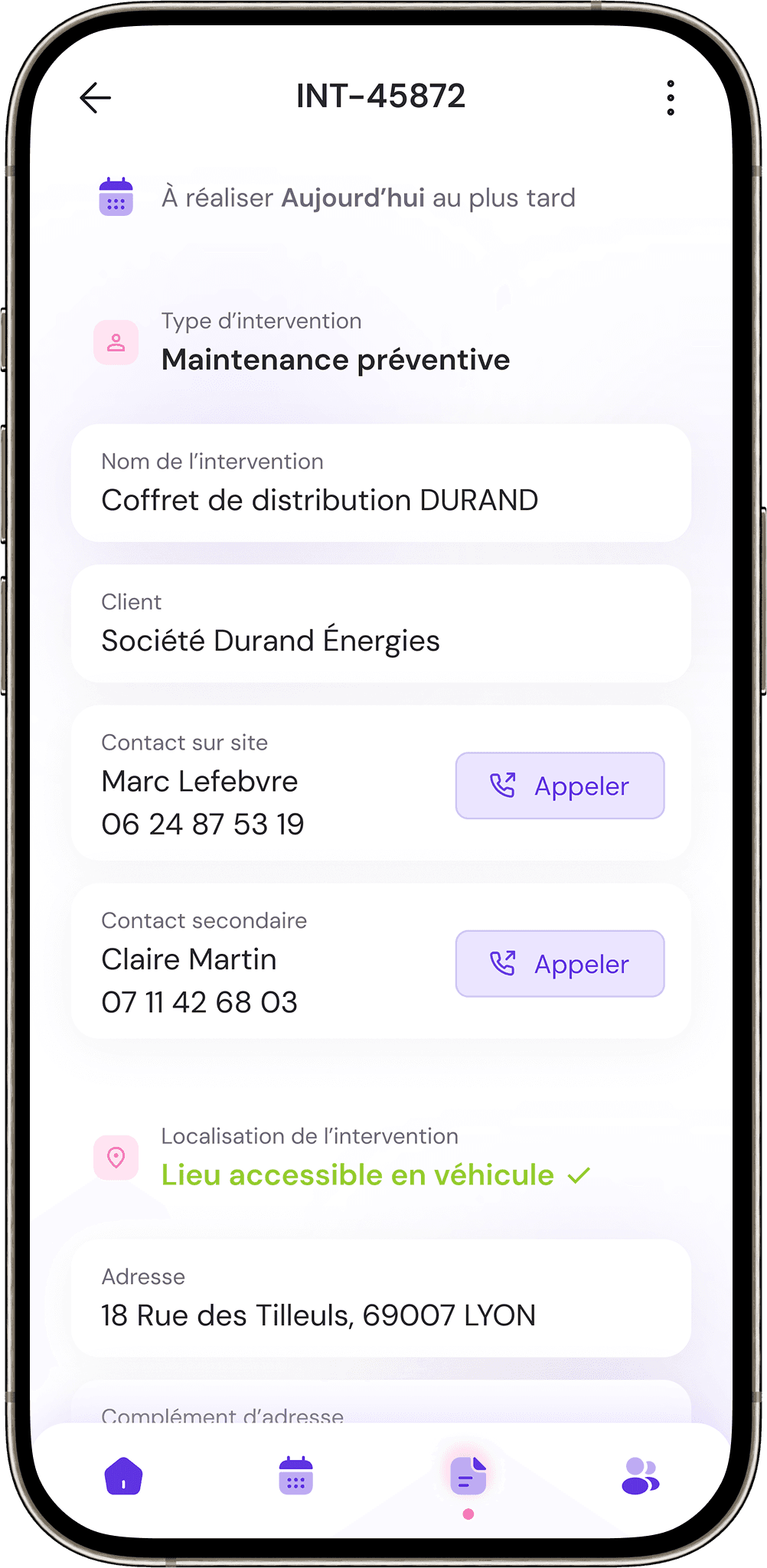
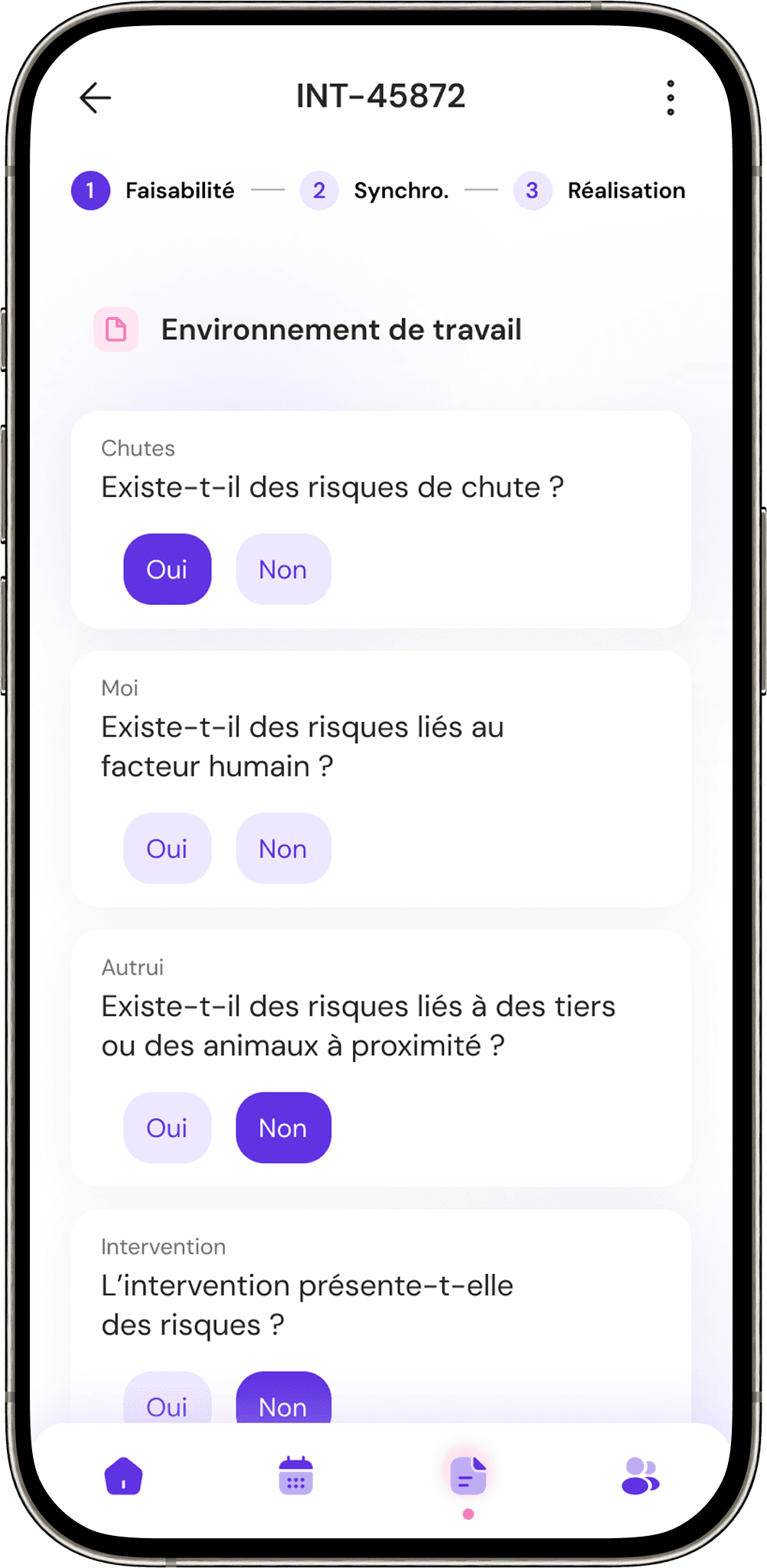
As the product evolved, I helped align the mobile experience with the company design system to improve usability, consistency, and long-term scalability.
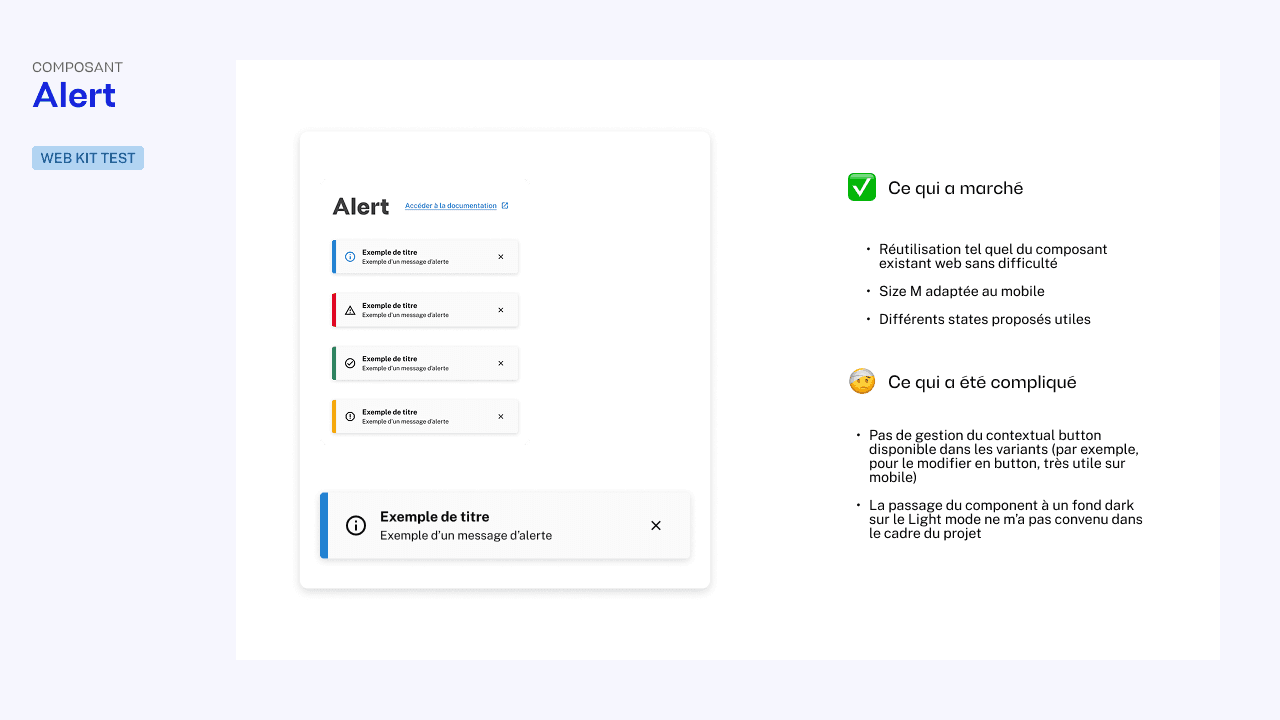
Component used : Alert
Goal : Improve feedback visibility
Challenge : Mobile adaptation
Outcome : Consistent feedback patterns

Component used : Alert
Goal : Improve feedback visibility
Challenge : Mobile adaptation
Outcome : Consistent feedback patterns

Component used : Alert
Goal : Improve feedback visibility
Challenge : Mobile adaptation
Outcome : Consistent feedback patterns

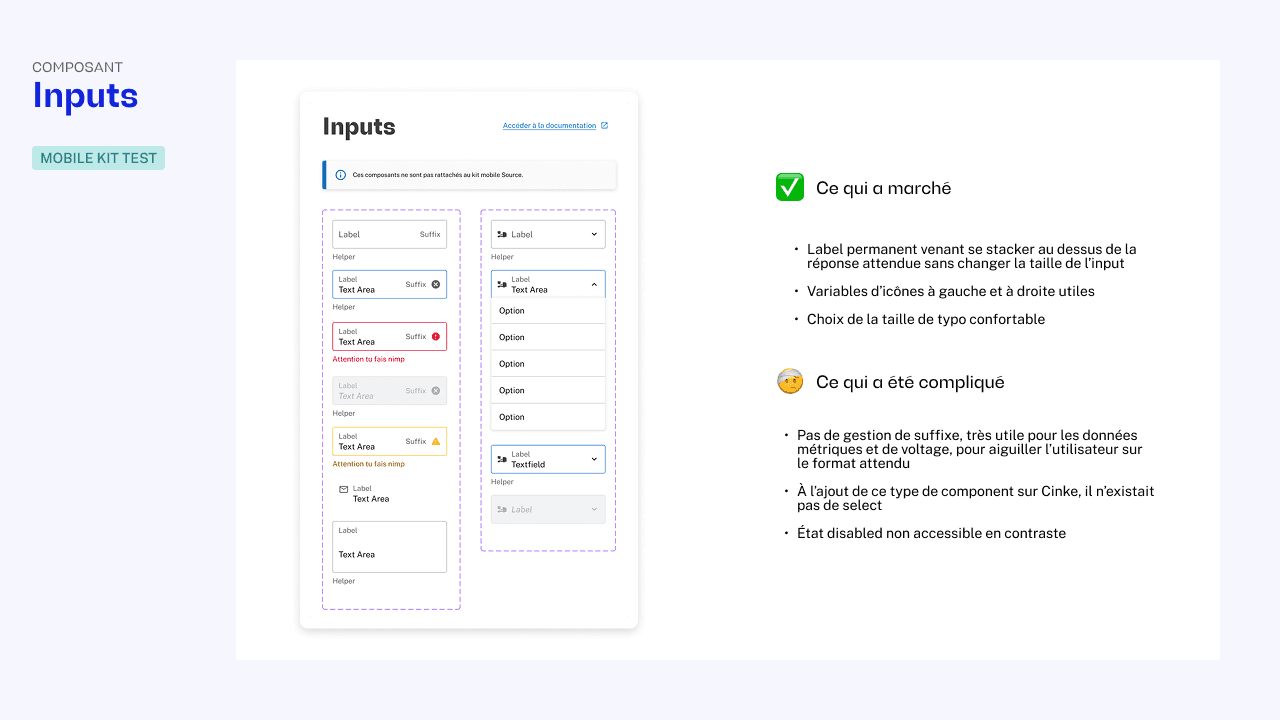
Component used : Input
Goal : Streamline intervention reporting
Challenge : Adapting complex form interactions to mobile usage conditions
Outcome : Faster data entry and improved reporting consistency

Component used : Input
Goal : Streamline intervention reporting
Challenge : Adapting complex form interactions to mobile usage conditions
Outcome : Faster data entry and improved reporting consistency

Component used : Input
Goal : Streamline intervention reporting
Challenge : Adapting complex form interactions to mobile usage conditions
Outcome : Faster data entry and improved reporting consistency

Final designs

Final designs

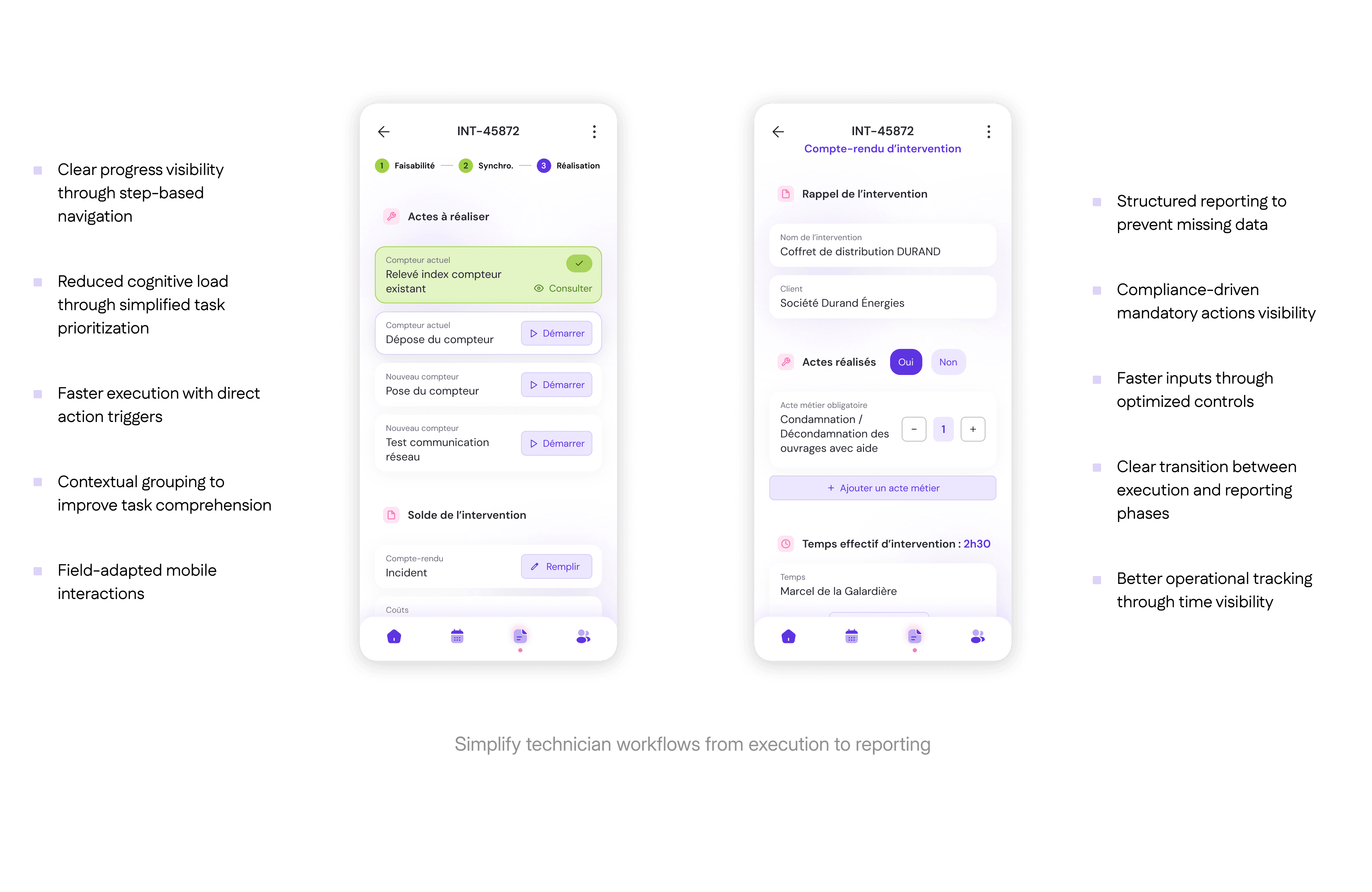
Clearer information hierarchy
to support faster decisions

Simplified operational workflows
to reduce daily friction

Improved status visibility
to better track interventions

Stronger UX consistency
to improve usability across screens

Product outcomes
Product outcomes

Faster workflows

Better usability

Stronger design consistency

Stronger design consistency

Stronger UX consistency across the platform

Better usability

What we learned

What we learned

This project reinforced three key lessons:

Adoption comes from operational fit, not interface quality.

The success of a field application depends less on visual polish than on how well it integrates with real technician routines. Designing around actual field constraints proved more impactful than improving visual complexity.

Good field UX is about removing friction, not adding guidance.

The most effective improvements came from eliminating unnecessary steps rather than adding explanations. In operational environments, clarity and speed outperform detailed assistance.

Enterprise products succeed when they balance business requirements and field reality.

Bridging compliance needs, operational reporting, and technician usability was key to creating a product that works both for the organization and the people using it daily.

This project has been one of the most formative experiences in my career, strengthening my UX skills through real field constraints, developing my systemic approach to design, and giving me solid experience in mobile design systems. It helped me better understand how product design connects user needs, operational workflows and scalable product foundations.

Thank you for reading. Don’t hesitate to take a look at my other works!